Welcome to the blog!
Scroll down for the latest and greatest, filter by category, check out the most popular tutorials, or search for what you want to learn below!
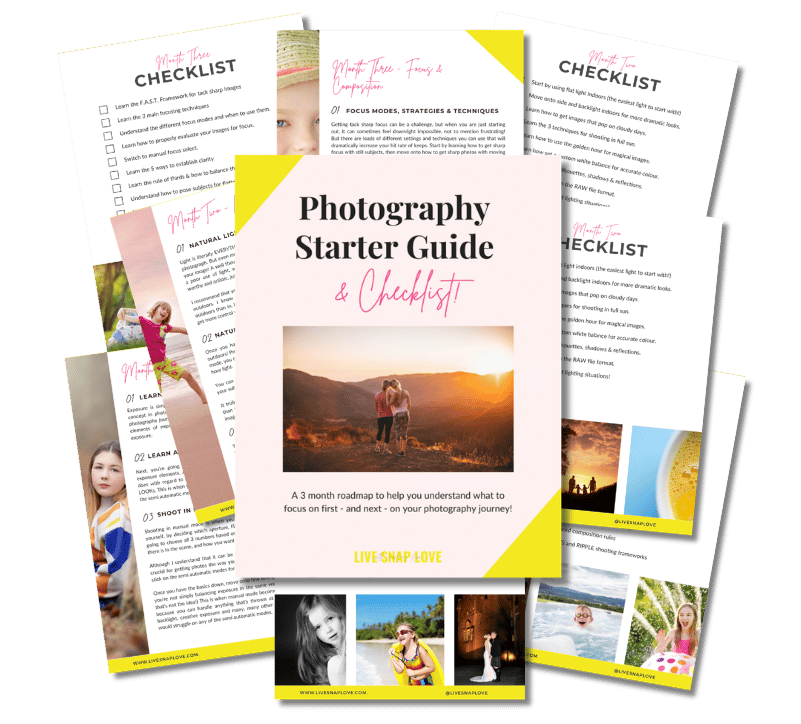
Want to learn photography but have no clue where to begin and what to learn next??!
Steal my Photography Learning Blueprint and get the clarity, checklist and step by step game plan to help you get photos you love - quickly!

How to Get a Blurry Background in Photography
So this video is all about how to get that blurry background in your photos so that your images look more professional, and so your subject just seems to kind of pop off the screen!
Regardless of what camera you have, what lens you're using, if you follow the steps laid out in this video, then you are going to get images that have an amazing blurry background.
So I'm going to break this down into four simple steps, but be sure to stay right until the end of the video because I got an extra bonus tip for you that's going to give you more dramatic looking blur.

December Photo Challenge! Document the Holidays with these Christmas Photo Prompts
The holiday season can be an incredibly busy time, and it’s easy to get so wrapped in our “to-do” lists that we can forget to capture the season.
Which is exactly why we’re going to do a December Photo Challenge!
I’ve created a list with 38 December photo prompts, all with a Christmas / Holiday / Winter vibe, to help you capture the spirit, beauty and traditions of the season.
Of course, the photo prompts will also help you improve your photo skills, so it’s a win-win!
Read down to see how to take part in this challenge with others in our blog community Facebook Group, and how to get your hands on the checklist!

How to Use an Expodisc For Exposure & White Balance
In this week’s blog post and video, I’m going to show you how to use an expodisc to set both your exposure and your white balance.
For those of you that might not know what I’m talking about, an expodisc is a handy little tool that makes it really easy to set a custom white balance, so you get the best and most accurate colour in your images.

Why are my photos grainy (and how do I fix it?)
One of the biggest problems I hear from new photographers is that they are struggling to understand why their photos are so grainy - and what they can do about it!
I totally get how frustrating it is, believe me. Back when I was using my Canon Rebel, a lot of the time my photos would look grainy, and simply wouldn’t have that same sharpness that I could see from other photographers, which to put it mildly, is freaking annoying.
So that’s the problem we’re going to address today - why your photos are grainy, and most importantly, what you can do to avoid or fix the problem!

Lightroom Export Settings for Instagram
Today I'm going to show you the exact Lightroom Export Settings for Instagram!
If you've been finding that your images look fantastic in Lightroom, but then when you upload them to Instagram, they look crunchy or pixelated, or they've just got this really weird color vibe going on, then this is definitely the video for you!
I'm going to walk you through step by step setting by setting exactly what you need to do to export your images for Instagram.

The Ultimate Guide To Cropping In Lightroom
Cropping your images in Lightroom is so important in order to make your images look more polished, more professional, and of course more engaging and dynamic through better composition.
So that is exactly what I'm going to show you in this video!
I'm going to show you how the crop tool works, and we’re going to talk about aspect ratio, changing orientation with a really in depth like at the crop tool.
Do you make sure that you watch right until the end because I'm also shading a sneaky little bonus tip for changing the crop overlay so you can get more dynamic composition. That's really important to make sure that you don't miss that!




Check Out These Reader Favourites


It's been quite a few years now since I made the switch from Aperture Priority Mode to shooting in Manual Mode, and it was one of the BEST things I ever did to improve my photography skills.
It was like a whole new world opened up to me, and I started TRULY understanding exposure, and in turn, getting the images that I wanted.
Of course, there was a lot to learn, and there are some things I wish I had known before I started!
So, here are 10 things about shooting in Manual Mode that you might just wish you knew…