

Welcome to the blog!
Scroll down for the latest and greatest, filter by category, check out the most popular tutorials, or search for what you want to learn below!
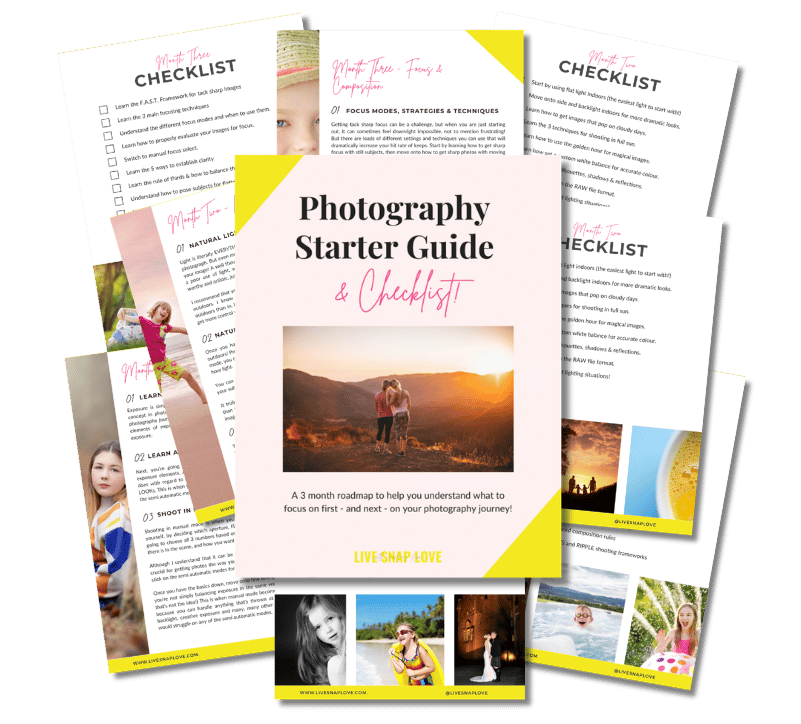
Want to learn photography but have no clue where to begin and what to learn next??!
Steal my Photography Learning Blueprint and get the clarity, checklist and step by step game plan to help you get photos you love - quickly!

6 Tips for Beautiful Everyday Life Photography
The main reason I pick up my camera is for everyday life photography - in other words, to capture those beautiful, everyday, mundane moments that make up my day to day life. I want to document “real” life, all the little things that happen in between birthdays and vacations and holidays, that many people don’t take the time to capture (but then wish they did)
If you feel the same way, then you are going to love this post, because I’m going to go through 6 different tips that will help you beautifully capture your own everyday moments.

How to Find & Use Open Shade in Photography for Better Photos
Today we are going to have tutorial on LIGHT - specifically how to find and use open shade in photography, so you can take more flattering photos.
First of all, raise your hand: how many times have you read / heard that you should shoot in the hours just before sunset or just after sunrise (a.k.a the Golden Hour), for the best light?
And how many times did you mutter under your breath that that’s freakin’ impossible to do all the time, especially if you have kids? (yes, I hear you)
The good news is, there is a way to photograph in full sun, even at midday, hat still allows you to get nice, soft even light on your subjects, AND is easy to use!
It’s called open shade, and in this photography lighting tutorial, I’m going to show examples of where you can find open shade, and how to use it for the most flattering results.
Let’s jump in!

How to Make A Watermark In Photoshop in 5 Simple Steps
For any images you want to put online, you are probably going to want to add a watermark to your images. The good news is you can easily create a watermark in Photoshop, and just in a matter of minutes, and that’s what I’m going to show you today!
A watermark helps protect your images, to make it difficult for anyone to use them without your permission (and also so that everyone knows who took that gorgeous photograph!) so it’s worth taking the time to do it if you post your images publicly.
(And If you are in business, a watermark can also be a great way to help market your business for free!)
Read on for your step by step guide on how to create a watermark in Photoshop...

35mm vs 50mm lens - which one is right for you?
The two lenses that I see people deliberating over a lot is the 35mm vs 50mm prime lenses, so if you are currently having an internal debate between these two, and wondering whether the 35mm or 50mm would suit you best, read on…

3 Simple Ways to Add Depth to Your Photos
When we take an image, we flatten our three dimensional world into something two dimensional.
And as a result, our images can look a little...er... flat.
Adding depth is simply a way of bringing back that three dimensional feel - in other words, more closely mimicking how we see in the real world. It helps our viewers feel like they are in the photograph, and adds more complexity to your image, in turn making it more inviting and engaging.
Luckily for you, that complexity only exists in the resulting image, because it can be super easy to do, you just have to remember to do it 😁
So, here are three simply ways that you can start to incorporate depth into your images, that will take you only a few seconds to do.

How to Calibrate Your Monitor
One thing that is guaranteed to cause some confusion to most emerging photographers is calibrating their monitors.
Calibrating your monitor is simply a way of making sure what you see on your screen matches what you see in print. If you have ever had images come back from the printer bearing little resemblance to what you see on screen, an uncalibrated screen is one reason why!
The big downside to calibrating your monitor is that it is yet ANOTHER expense, as you will need to purchase a tool to do it, and let’s face it, photography can be an expensive enough hobby :-)
However, you do have several options when it comes to calibration tools. The one I use is the X Rite Color Munki, which seems to strike a good balance between features and price, so for many hobbyists since is what I would recommend.
For this tutorial, I’m going to show you how to calibrate your monitor using my own tool, the X-Rite Color Munki, but the process is very similar with other brands, so this should at least give you some idea of what goes into calibrating your monitor!





Check Out These Reader Favourites



It's been quite a few years now since I made the switch from Aperture Priority Mode to shooting in Manual Mode, and it was one of the BEST things I ever did to improve my photography skills.
It was like a whole new world opened up to me, and I started TRULY understanding exposure, and in turn, getting the images that I wanted.
Of course, there was a lot to learn, and there are some things I wish I had known before I started!
So, here are 10 things about shooting in Manual Mode that you might just wish you knew…