

Welcome to the blog!
Scroll down for the latest and greatest, filter by category, check out the most popular tutorials, or search for what you want to learn below!
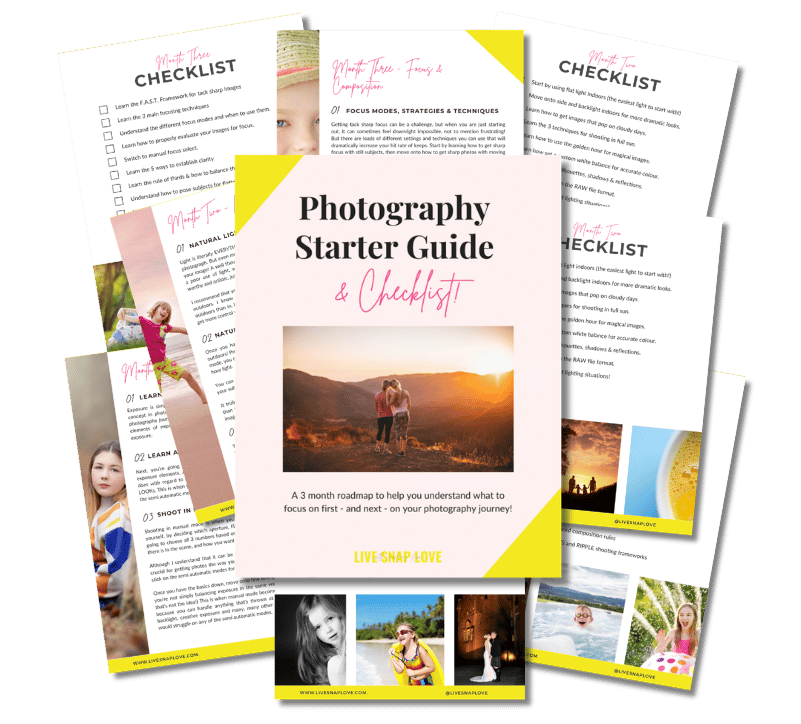
Want to learn photography but have no clue where to begin and what to learn next??!
Steal my Photography Learning Blueprint and get the clarity, checklist and step by step game plan to help you get photos you love - quickly!

3 Simple Ways to Add Depth to Your Photos
When we take an image, we flatten our three dimensional world into something two dimensional.
And as a result, our images can look a little...er... flat.
Adding depth is simply a way of bringing back that three dimensional feel - in other words, more closely mimicking how we see in the real world. It helps our viewers feel like they are in the photograph, and adds more complexity to your image, in turn making it more inviting and engaging.
Luckily for you, that complexity only exists in the resulting image, because it can be super easy to do, you just have to remember to do it 😁
So, here are three simply ways that you can start to incorporate depth into your images, that will take you only a few seconds to do.

How to Calibrate Your Monitor
One thing that is guaranteed to cause some confusion to most emerging photographers is calibrating their monitors.
Calibrating your monitor is simply a way of making sure what you see on your screen matches what you see in print. If you have ever had images come back from the printer bearing little resemblance to what you see on screen, an uncalibrated screen is one reason why!
The big downside to calibrating your monitor is that it is yet ANOTHER expense, as you will need to purchase a tool to do it, and let’s face it, photography can be an expensive enough hobby :-)
However, you do have several options when it comes to calibration tools. The one I use is the X Rite Color Munki, which seems to strike a good balance between features and price, so for many hobbyists since is what I would recommend.
For this tutorial, I’m going to show you how to calibrate your monitor using my own tool, the X-Rite Color Munki, but the process is very similar with other brands, so this should at least give you some idea of what goes into calibrating your monitor!

5 Myths About Lightroom That Are Holding You Back
I can’t tell you how often I hear people giving advice online about Lightroom that makes me just want to yell “wait! no! Don’t listen to that - it’s just not true!"
Things like:
“Well so and so says that you need to use Photoshop if you want to get images that look like the pros”
Or…
“oh well that person said all I need to do is watch You Tube and I can learn how to edit from there."
I don't blame them - because I used to think the exact same things!
That's why today we are diving into a few of the BIGGEST Lightroom myths that will only hold you back from getting the most out of this awesome program.
Ready? Let’s go!

How to Photograph Movement with Motion Blur
When photographing movement, you have a couple of options on how to capture it: either freeze the motion completely, or allow the subject to show a bit of motion blur.
Motion blur is simply when you get blur to just certain parts of your image - those areas that had a subject or item moving faster than the shutter speed you chose.
Although unwanted motion blur is a bad thing, it can also be a used as a creative tool! The difference is that we are using it with intent, rather than getting it when we don’t want it.
So, this week’s blog post is all about how to capture movement with motion blur, as usual, broken down step by step.

5 Reasons To Use Lightroom for Editing Your Photos
If I asked new photographers to name a piece of editing software, the one that pops into mind most often is probably Photoshop, or even Photoshop Elements.
Whist Photoshop is (undoubtedly!) an amazing tool for editing, it’s definitely NOT the one I recommend for new photographers.
Why on earth not, I hear you say?
I’m so glad you asked 😀…..
Here are 5 reasons why learning how to edit your images in Lightroom is MORE beneficial to you when starting out - or indeed, at any time!

What is Lightroom CC?
A few months ago, Adobe released a brand new application into their product suite: Lightroom CC.
If you are wondering what Lightroom CC, what it can do, and whether it is the right application for you, then this is the very article for you.
In this blog post you will learn:
What Lightroom CC is
How it compares to Lightroom Classic CC
Who LIghtroom CC is for
Who Lightroom is NOT for
Why you might want to use BOTH Lightroom CC and Lightroom Classic CC
Ready? Let’s jump right in.





Check Out These Reader Favourites



It's been quite a few years now since I made the switch from Aperture Priority Mode to shooting in Manual Mode, and it was one of the BEST things I ever did to improve my photography skills.
It was like a whole new world opened up to me, and I started TRULY understanding exposure, and in turn, getting the images that I wanted.
Of course, there was a lot to learn, and there are some things I wish I had known before I started!
So, here are 10 things about shooting in Manual Mode that you might just wish you knew…