Welcome to the blog!
Scroll down for the latest and greatest, filter by category, check out the most popular tutorials, or search for what you want to learn below!
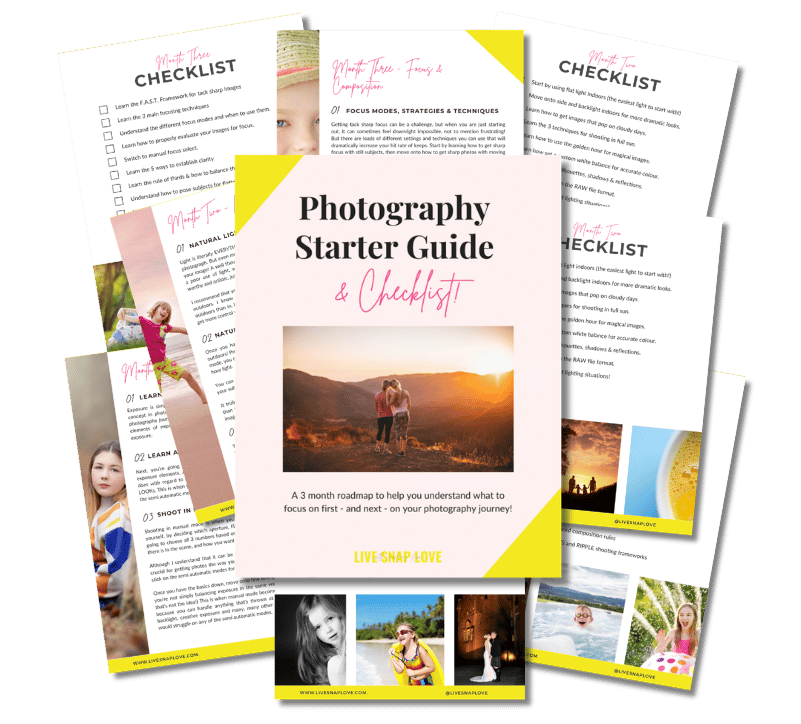
Want to learn photography but have no clue where to begin and what to learn next??!
Steal my Photography Learning Blueprint and get the clarity, checklist and step by step game plan to help you get photos you love - quickly!

How To Choose Your Camera Settings in Manual Mode (with examples!)
One of the things I get asked a lot is how to choose your settings when shooting in Manual Mode on your DSLR. I understand that it can seem a little bit overwhelming at first - you are used to the camera making all of these decisions for you, so it can be difficult to even know where to start! Never fear though, as today, I'm going to walk you through the steps for choosing your settings in manual mode, and give you some example photos (along with the camera settings too) so you can see it all together.

How to Import Your Images Into Lightroom
Before you can start to use Lightroom, you need to import some images into the application so that you can see, rate and edit them! So, this will be the very first step in your editing workflow.
For this tutorial, I'm going to show you how you can import images into Lightroom directly from your memory card. This way, you are adding the photos to your hard drive and letting Lightroom know about them in one easy step. Here's how to do it!

Branding Your Photography Business
This is the first post we have done on the business side of photography and we are going to kick off with branding your photography business. As I was a Business Development Consultant for many years before I stopped work to start a family, I figured it was time to mix my knowledge of photography and business into one post - I'd love to know what you think!
In a nutshell, your brand is what differentiates you from other businesses. It should tell people who you are, what you do, and what they can expect from you. Branding includes your logo, your website, your packaging, your promotional materials and even your writing tone and personality. For a photography business, obviously your brand should also communicate your photography style.

Understanding the Lightroom Catalog
Although Lightroom also makes a damn good job of editing your photos, at it’s heart it’s a file management system, allowing you to organise and manage your pictures with ease. The main "heart" of Lightroom is the catalog, so a good understanding how that works is essential, and it will help enormously when it comes to managing your files!

Which Camera Lens is Right For You?
Buying yourself a new lens - particularly if this is your first purchase away from the kit lens - can be an overwhelming experience! It's an important decision for you to make too, since your lens choice plays a critical role in making sure you images look the way you want them to! Unfortunately, there is no one single lens that will suit everybody, all of the time, so which lens is best definitely comes down to personal choice.
With that in mind, I've come up with 8 questions that you can ask yourself before you buy a lens to determine which is the best lens choice for YOU, and help you narrow down all the options that are out there.

What is Lightroom, and do I need it?
Have you heard of the photo editing application Lightroom and wondered what it is, and how it compares to more well known Photoshop? Then this is the blog post for you!
I'm going to give you an overview of what Lightroom is and how it's different from the other well-known offering from Adobe, Photoshop. I see all the time that people try to see if one is better than the other, or which one they get, but the truth is, they both excel at totally different things!
Ready? Let's go!





Check Out These Reader Favourites



It's been quite a few years now since I made the switch from Aperture Priority Mode to shooting in Manual Mode, and it was one of the BEST things I ever did to improve my photography skills.
It was like a whole new world opened up to me, and I started TRULY understanding exposure, and in turn, getting the images that I wanted.
Of course, there was a lot to learn, and there are some things I wish I had known before I started!
So, here are 10 things about shooting in Manual Mode that you might just wish you knew…