
Welcome to the blog!
Scroll down for the latest and greatest, filter by category, check out the most popular tutorials, or search for what you want to learn below!
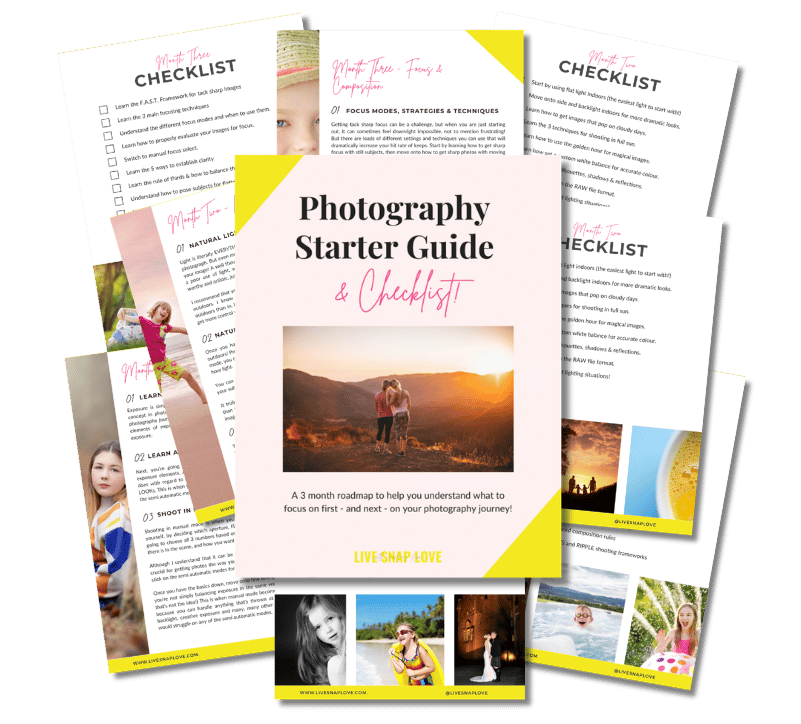
Want to learn photography but have no clue where to begin and what to learn next??!
Steal my Photography Learning Blueprint and get the clarity, checklist and step by step game plan to help you get photos you love - quickly!

8 Tips For Completing Your Photography Project 365
This is my second year of a Project 365 as a photography project, and I think it's been one of the best things I have committed to as a photographer - firstly because it helps improve your photography skills, and secondly because you capture so many random moments and things that otherwise might not have bothered to capture!
However, it can be difficult to commit to taking a photo a day - although it can only take a few minutes to take a picture, there are times when you feel there is nothing to capture that day, or you simply are too busy to remember to do it! So here are a few tips to help you complete your 365 this year.

Creating a Black and White Conversion In Lightroom
For many images, I find myself drawn to the simplicity of black and white – particularly those with good tonal ranges or dramatic light. (you can read more about which images are great candidates for black and white conversions here) Although I often take my images into Photoshop to create black and whites, you can do an awesome conversion in Lightroom too! Here's a guide to how I create my black and white images when using Lightroom only.

Making the Switch From JPEG to RAW
When shooting with a DSLR, you have two choices of file formats in which to take your image - RAW or JPEG. Most amateurs shoot in JPEG. If you do, and are happy with the results you are getting, then of course by all means you can continue to do so! However, if you worry about not getting your settings right, or you want to improve the final look of your images, then I strongly suggest giving shooting in RAW a chance. Although it’s not a magic pill for getting good images, shooting in RAW can help enormously as it gives you another chance to get it right! You get much more leeway once you come to edit the photo in RAW, you will be able to bring up under exposed photos without introducing wonky color casts and grey skin, or bring back highlights and detail in images that you have over-exposed.

A Classic Creativity Exercise
I've been feeling a little blocked creatively of late - it's something that always happens when I am feeling particularly busy or overwhelmed, and picking up my camera can feel more like a chore. At times like these, or just when you feel you need a little push to try something new, a creativity exercise is a fantastic photography project to undertake to lift you up out of a rut.
The following is a classic artists exercise, and it's helpful regardless of what stage of your photography journey you are on - if you are a beginner, it's a great way to begin to see light and shadows and so on, and if you are more advanced, it can be challenging to come up with different compositions or use of light. Either way, it's very simple - here's what you do:

How to Create A Photography Business Website
For those of you who are taking their first steps with a photography business, you may wonder how to create a photography website. A website for your business is a must: it allows you to be found by prospective clients searching the web, but also gives you a place to show off your work, and offer clients more insight into why they should hire you. All in all, it's a great marketing tool, and one you definitely need.
However, I know there can be some confusion about where to start when looking at how to create a photography website, so in this post, I hope to break down what you need, step by step, and also give you some options to consider at the end, so you can get the perfect photography website for your business!

How to take a Self Portrait
I have to say, I find self portraits quite hard going! I'm much more comfortable being on the other side of the camera, for sure. There’s nothing really more complicated about self photography than ”normal” photography, the biggest problem is the logistics of getting yourself behind the camera, and making sure that you are in focus (and not feeling silly having a camera trained on you!) and actually pressing the shutter!
Here's a step by step guide to taking your own self portraits.




Check Out These Reader Favourites


It's been quite a few years now since I made the switch from Aperture Priority Mode to shooting in Manual Mode, and it was one of the BEST things I ever did to improve my photography skills.
It was like a whole new world opened up to me, and I started TRULY understanding exposure, and in turn, getting the images that I wanted.
Of course, there was a lot to learn, and there are some things I wish I had known before I started!
So, here are 10 things about shooting in Manual Mode that you might just wish you knew…