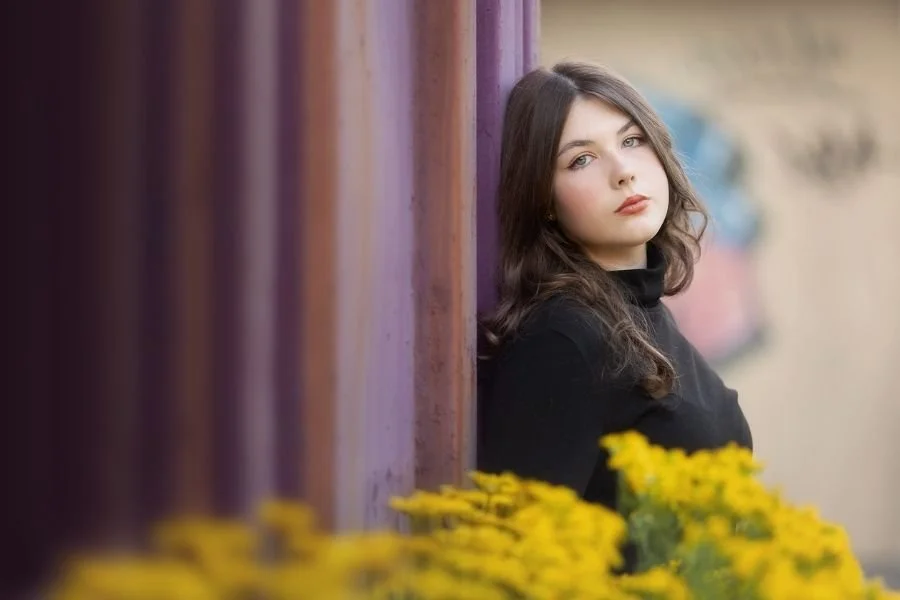
Transform your photos with the magic of Photoshop.
Unlock the pro techniques and editing secrets that will spark your creativity, bring out the beauty in your images, and take your photos from mundane to magical!
Inside this inspirational and practical video course, you’ll discover a whole toolkit of creative tricks—each taught step by step, so you can easily go from “I wish my photos looked like that” to “Look what I created!”
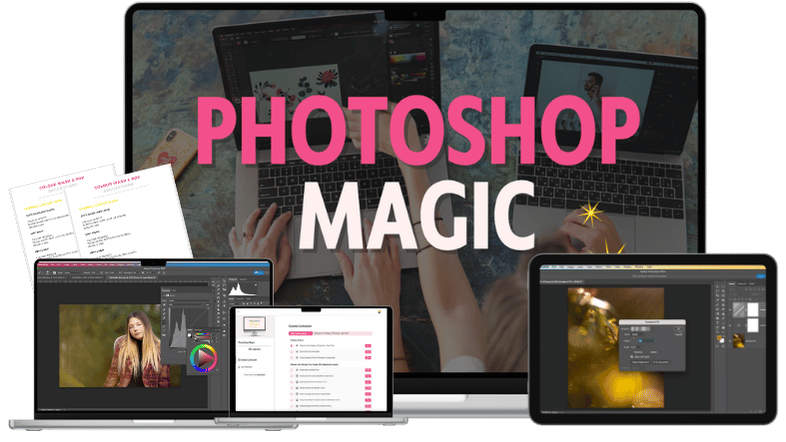
Photoshop Magic is retiring!
But you have one last chance to get your hands on Photoshop Magic before it goes for good!
Get it for 70% off before it goes!
The course and offer is closing on Wed Nov 4th at 11.59pm ET.
I’m simplifying the Live Snap Love course collection, which means saying goodbye to some courses—including Photoshop Magic.
Please note it’s retiring from the shop, but this course is completely up to date, with ALL the techniques and lessons in the course are current as of October 2026.
(Adobe’s passion for regularly updating things may mean an icon or menu looks a teeny bit different from the recordings, but the techniques and steps are still the same!)
And don’t worry, you still get access to the course for a full 12 months, it’s simply that the course will no longer be available for sale from the 4th Nov.
Before it gets locked into the vault, I’m giving you one last chance to buy the course, in all its juicy glory, for a whopping 70% off. ✨
Scroll down to learn more about the course, see a full module breakdown, what you’ll get and more!
You know your photos could look better…but you can’t quite figure out what’s missing.
You’ve captured a lovely moment. Your exposure looks good. You’ve made your usual workflow adjustments.
But when you look at the finished photo, it still feels a little… lacklustre. Nice enough…but missing that something you were hoping for.
Then you see another photographer’s images—the beautiful colours, gorgeous light, that almost magical finish—and wonder, “What are they doing that I’m not?!”
You know Photoshop can help. But it can feel frustratingly intimidating. All those tools and menus…and no clear idea of which ones to use, or what you could even try!
So you end up limiting yourself to the same few basic edits, running an action and hoping for the best, or deciding it’s easier to leave the photo as it is because you’ve no idea what to do!
And that’s where you’re missing out.
Because there are ways to give that image more depth, bring its colours together, draw attention to your subject or add a creative touch - without going overboard or having your image look “fake”.
You don’t have to settle for “it’s a nice photo” when you wanted “I absolutely LOVE it!”
You just need someone to show you what’s possible—and how to make it happen!
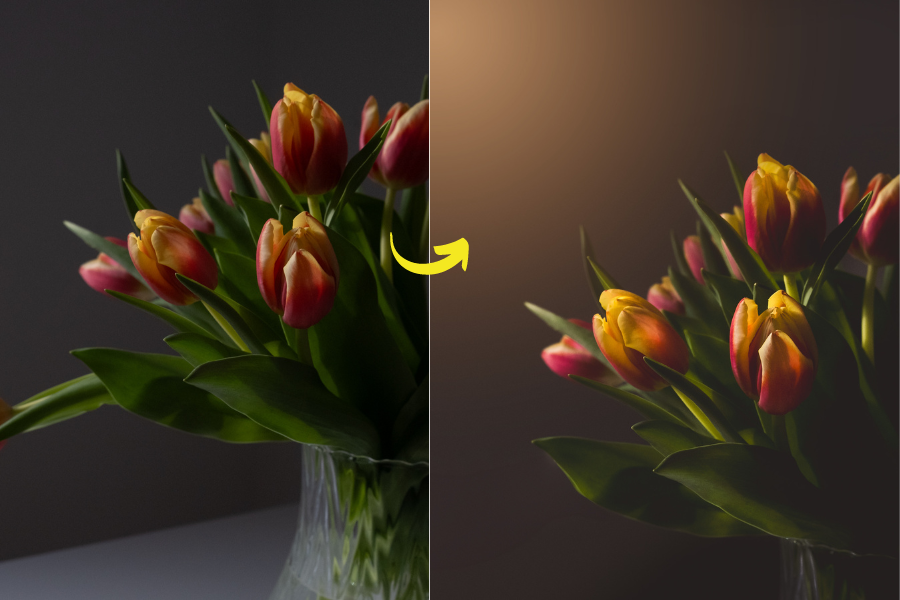
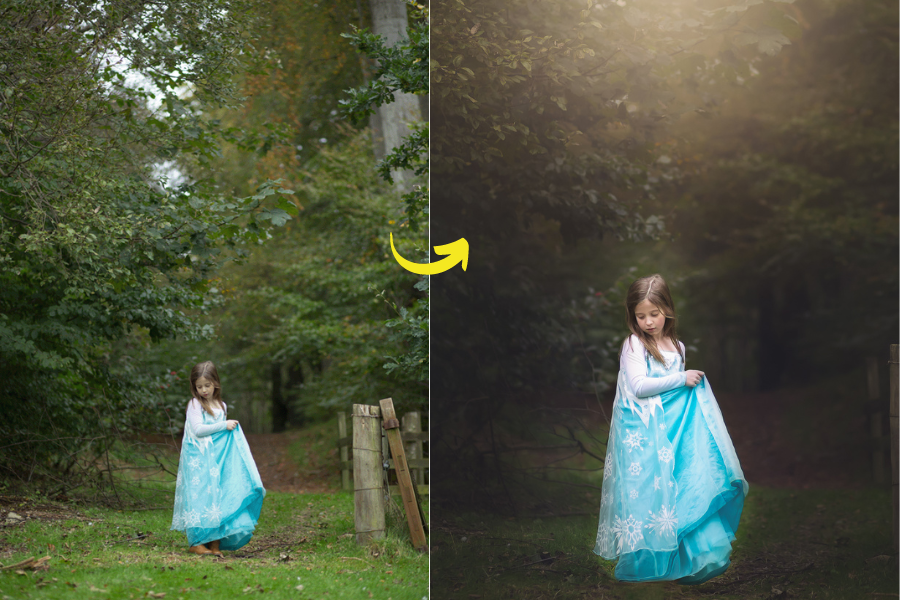
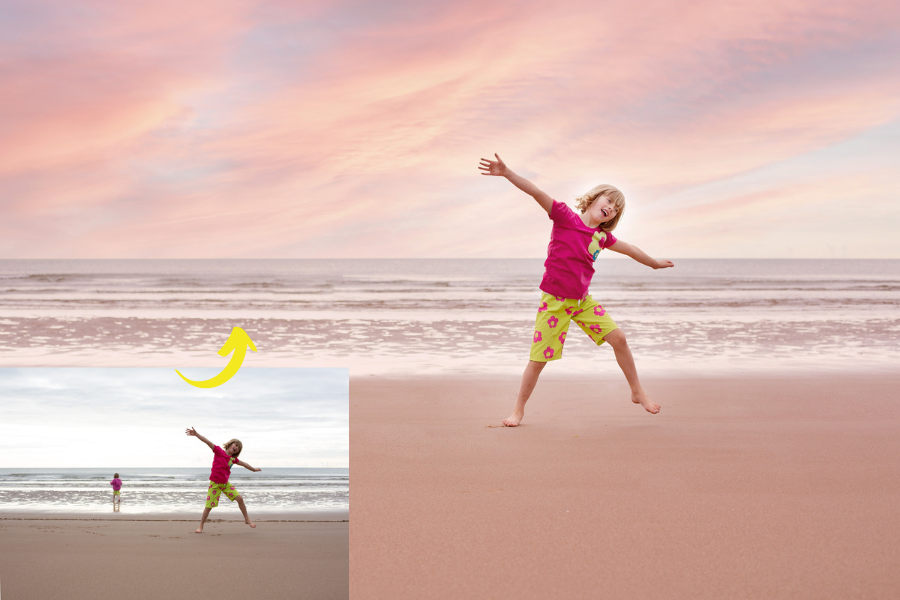
"WOW!! Mind blown! Audrey has done a fabulous job with the course and I am getting so much out of it - I can see that I’ll need to go through it again, but I've already gained so much new skills!"
- Pam
"I am over-the-moon happy with this course! Thank you. Your teaching style is crystal clear and exactly what I needed”
- Gayle
"Just wanted to say thank you for your Magic of Photoshop course - it has been amazing. Editing my photos has become my absolute favorite part of photography!”
-Jan
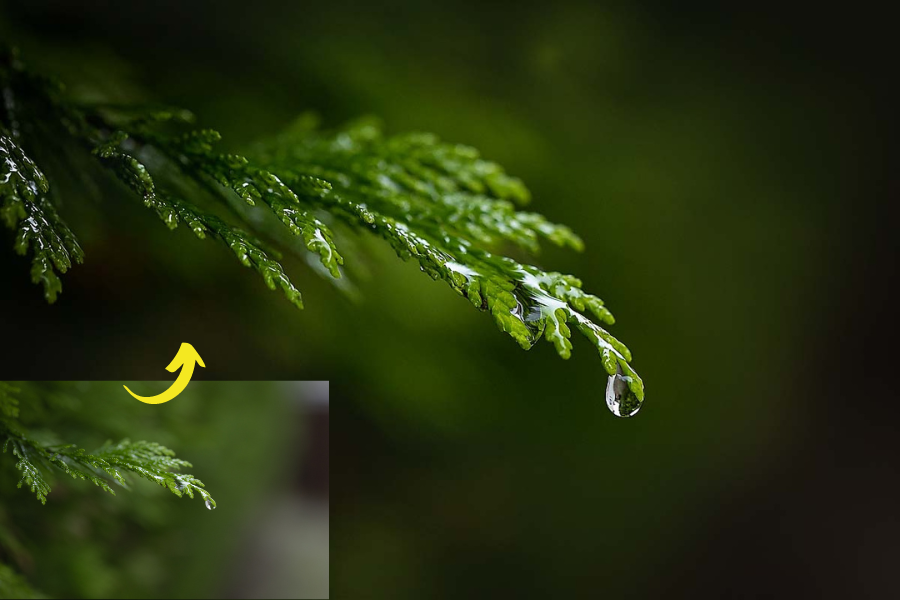
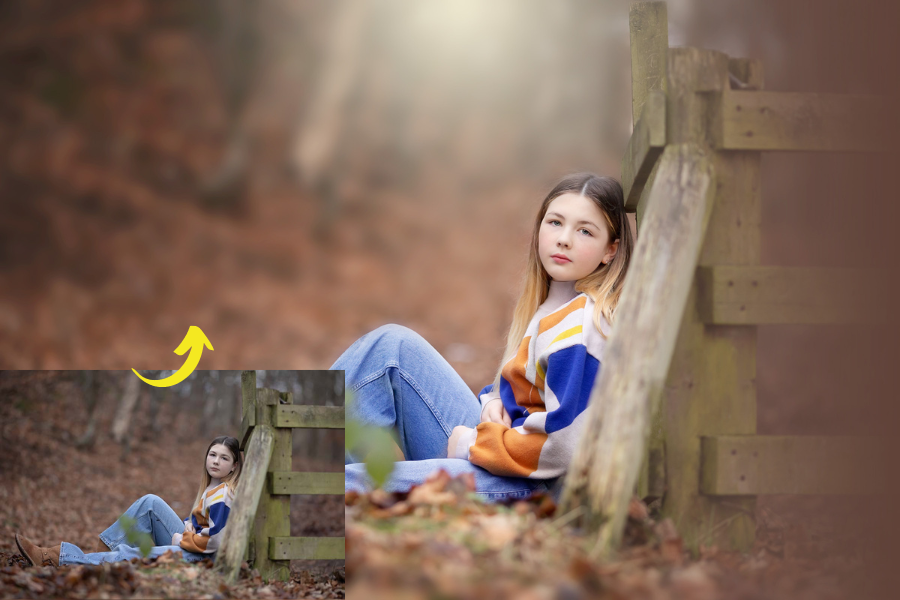
Tell me if this sounds like you…
👉 You’re paying for Photoshop but barely using it, sticking to the same few edits because that’s all you know how to do.
👉 You hear photographers talking about colour toning, replacing skies, adding rays of light or using Generative Fill, and wonder, “But how on earth do you DO that?!”
👉 You struggle to imagine what you could even DO with your photos in Photoshop—never mind figuring out the steps to make it work!
👉 You give up on images that could be lovely, because you don’t know how to remove a distraction, fix the background or rescue the composition.
👉 You waste precious time searching through tutorials, only to find they’re out of date, overly complicated or leave you with even more questions.
👉 You rely on actions but don’t always love the results, and don’t know what to tweak when the effect looks too strong or unnatural (and KNOW that actions can’t do all the things you want to be able to do!
👉 You’ve picked up bits and pieces of Photoshop along the way, but they’ve never quite clicked together—so every new edit still feels like guesswork.
There’s a reason why Photoshop is called the “game-changer!
With Photoshop, you can take your mundane, run of the mill photo and take it to the NEXT level again, by adding in creative elements, playing with colour and tone, or simply tweaking the image to give it a beautiful, magical finish.
In fact, once you understand how to use Photoshop you no longer have to think "this photo would look so much better if only..." because with Photoshop, that "if only" can become a reality!
But precisely because it can do so freaking much, Photoshop can be overwhelming. You first have to figure out exactly WHAT you can do , and then try to find out HOW to actually how to do it.
That overwhelm means you either end up taking a stab in the dark about which edits to do, or you'll blindly slap on an action and hope for the best, or even avoid Photoshop entirely!
And THAT👆is exactly why i created Photoshop Magic!
Photoshop Magic
A practical video course that puts a whole toolkit of pro editing techniques and creative secrets at your fingertips!
Discover how to create the effects you’ve admired, rescue photos you’d almost given up on, and give your favourite images a finish you feel proud of.
Every technique is demonstrated step by step, so you can watch the edit come together, follow along and create it on your own photos!
Although you can jump straight into any technique and try it immediately by following the step-by-step lesson, the course is also organised into a clear learning path.
Each module builds on the last, introducing new tools and showing you more ways to use familiar ones—so you become more confident in Photoshop as your creativity grows.
More ideas. More creative freedom. And that lovely feeling of looking at an edit and thinking, “I did that!”
Here’s what you’ll be able to do with Photoshop Magic:
👉 Turn a lacklustre photo into one you can’t wait to show off, using colour and tonal adjustments to add richness, depth and a finish that feels like your style.
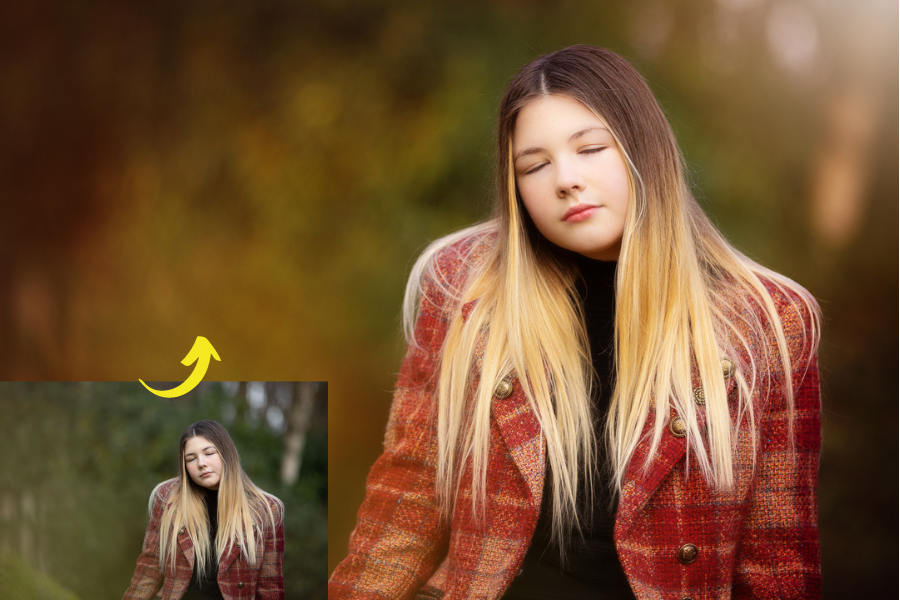
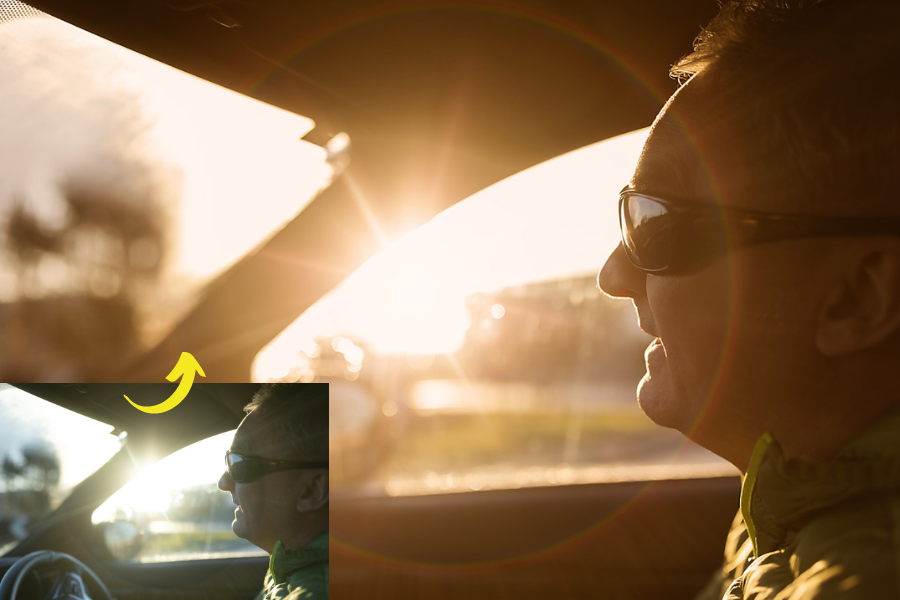
👉 Give your images the light and atmosphere you envisaged, with techniques for adding sunshine, soft colour washes and beautiful flare—even when the original scene didn’t quite deliver.
👉 Rescue photos you’d otherwise pass over, by removing distracting objects, tidying backgrounds, filling in gaps or extending the frame to give your composition room to breathe.
👉 Combine the best parts of different photographs, whether you’re swapping an expression in a portrait or bringing elements together to create something entirely new.
👉 Bring your more imaginative ideas to life, replacing skies, adding dreamy bokeh, experimenting with snow and textures, or combining elements from different photographs.
👉 Give portraits a polished finish without leaving the result to chance, with step-by-step techniques for correcting skin tones, softening skin and making subtle refinements.
👉 Make an edit work for YOUR photograph, understanding how to adjust its strength and control where it appears, so you can create anything from a gentle finishing touch to a bolder effect.
👉 Feel excited to experiment and confident making your own creative choices, with individual techniques you can try straight away and a logical learning path that builds your Photoshop skills as you explore.
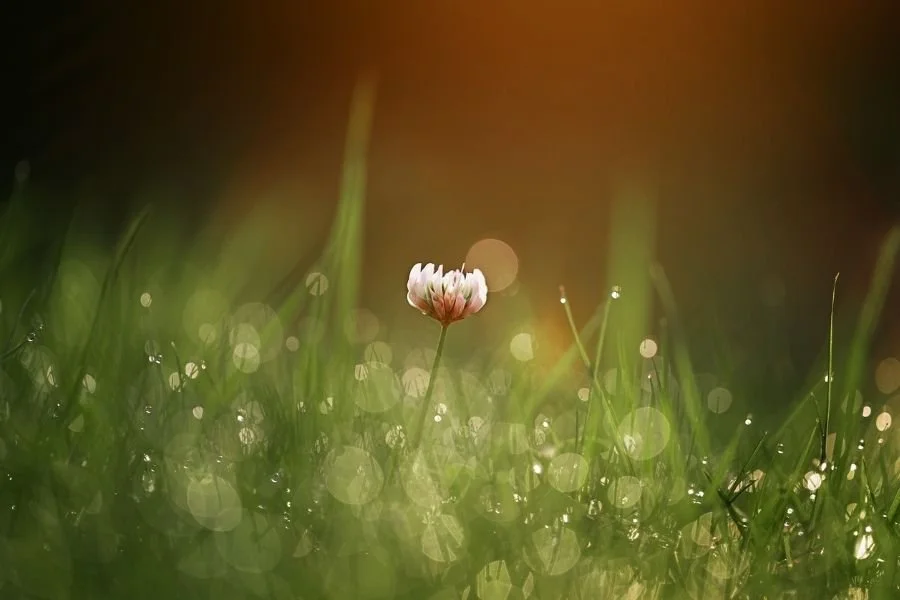
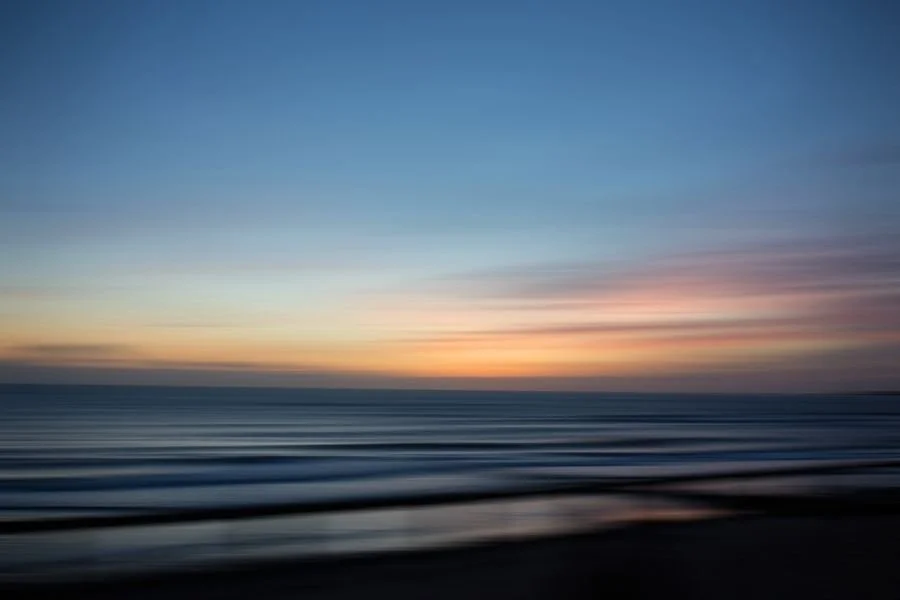
Here’s what you’ll get
Inside ‘Photoshop Magic’
👉A whole toolkit of creative editing tricks
Six video modules packed with techniques for richer colour, beautiful light, polished portraits and imaginative effects—so you’ll have fresh ideas for your photos and know how to create them.
👉 Step-by-step videos that bring each edit to life
Watch me create the effect on a real photograph, then follow along on your own. Choose a technique to try today, or follow the logical learning path to build your skills as you go.
👉 Written steps for those “How do I do that again?” moments
Every lesson has the instructions written beneath the video, so you can quickly refresh your memory and get back to creating.
👉 Guided practice to make the techniques your own
Optional homework helps you experiment on your photographs, explore different looks and grow more confident making your own editing choices.
👉 Instant access to the entire course
No waiting for the next lesson! Everything is unlocked from the start, with 12 months to explore, practise and revisit your favourite techniques.
👉 Creative extras and clever shortcuts
Get experimenting with the Overlay Starter Kit, save time with Photoshop Ninja Skills, and share the journey with fellow photographers in our student community.
Explore your toolkit of Photoshop tricks!
Here’s what’s waiting inside! Follow the modules to build your skills, or jump around, using a technique you’d love to try or when you need it!
Module One: Elevate Your Image with Adjustment Layers
Adjustment layers are the heart of Photoshop, and we'll cover each of these, along with the many ways you can use them to change the look and style of your photo.
Add extra depth and pop to your images by making crucial tonal adjustments.
Create beautifully vibrant images with global and targeted colour adjustments.
Get more creative monochrome images with tricks for stunning black and white photos.
If you’ve ever felt overwhelmed with Curves, Levels, Color Balance, Gradient Maps, Selective Colour or just wondered what all those adjustment layers do (and how to use them!) you'll love this 😉
Module Two: Get Creative With Fill Layers
In this module, we’ll dive into how to use Fill Layers to add some truly stunning effects to your photos.
Create sunshine and add flare for beautiful light in your photos
Get artistic with colour by using soft colour washes, toned vignettes, or bold colour pops.
Learn how to leverage gradient tricks to enhance your images or disguise problem areas.
Module Three: Add Overlays for Magical Finishes
In this module, you'll go beyond your normal workflow by learning how to use overlays to add extra interest.
Replace boring drab skies in seconds.
Magically change the weather by making it rain or snow or shine on demand!
Add more visual interest to your photos by adding texture or bokeh to your backgrounds.
Module Four: Miraculous Pixel Adjustments
In this module, you’ll learn how to remove distractions, rescue photos & rework the scene.
How to clear out distractions and tidy up the frame for a sleek, professional finish.
Add in extra elements with simple cloning, composites or Generative Fill.
Explore content aware techniques.
Perfect your composition by extending the canvas or mirroring the background.
Swap the heads in a portrait (a.k.a the portrait photographers lifesaver!)
Merge images for tack sharp photos
Module Five: Get Creative with Blur, Flare & Filters
We'll continue with pixel adjustments in this module, but this time with the use of filters!
We'll cover simple transformations you can do to your people photos, from giving fuller hair, slimming down the arms or bringing in a loose shirt.
Get magical background blur for a smooth, velvety finish.
Play with Lens Flare & Lens Blur for fun creative effects
Remove pesky noise and grain from your images
Module Six: Beautiful Retouching
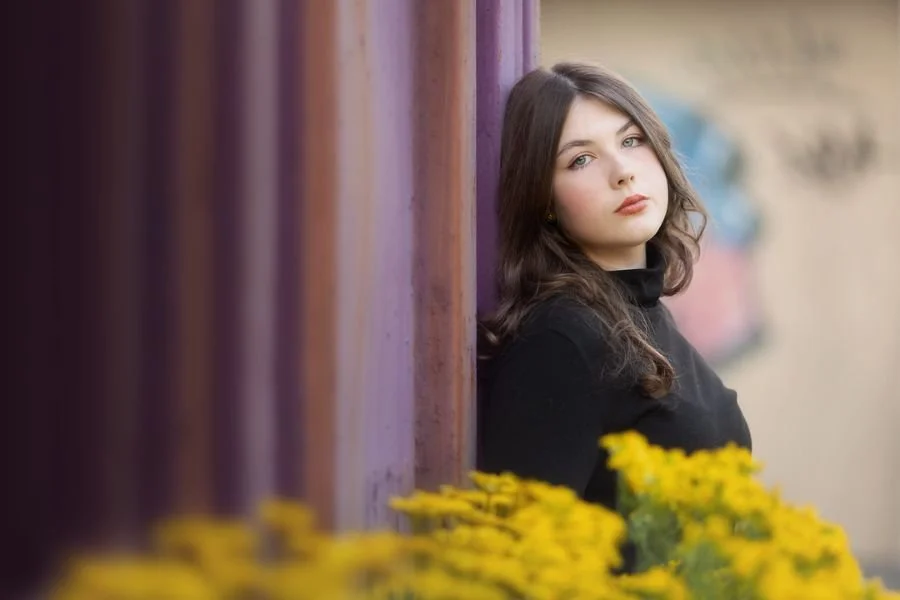
Subtle enhancements are key to gorgeous portrait photos, and in this module you’ll learn the pro retouching secrets that will transform your portraits.
Remove annoying color casts from skin with my unique trick
Perfect your skin tones with the CMYK formula
Smooth skin and give it a healthy glow for beautiful portraits
Slim down the face or nose or subtly adjust face shape for next level retouching
Tips and tricks to make your subject look their very best!
Plus, these bonuses to keep the creativity flowing!
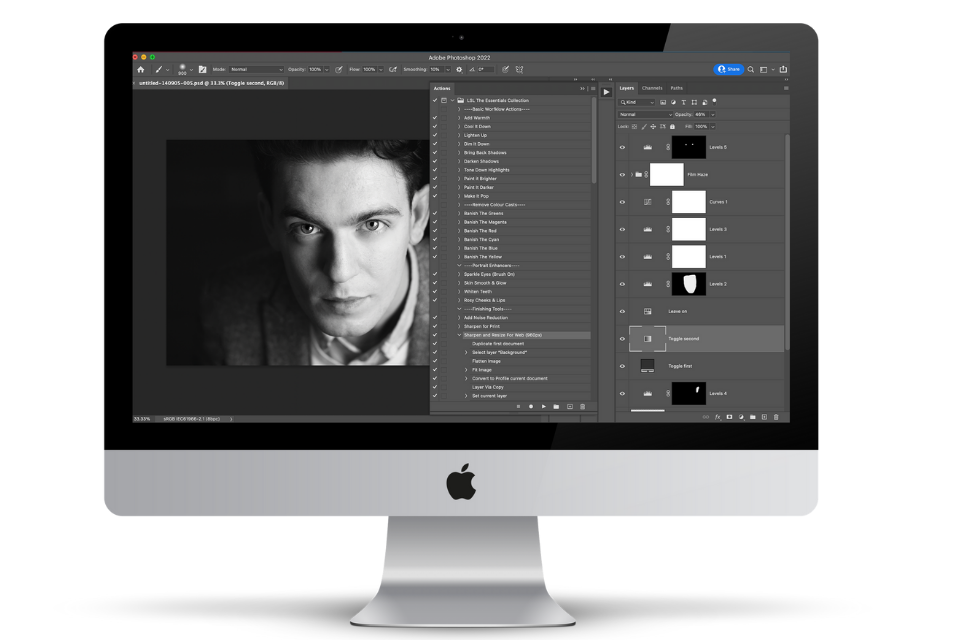
Photoshop Ninja Skills
Less time repeating the same steps. More time making photos you love.
Found an edit you’d love to use again? I’ll show you how to copy selected adjustments between photos, use and create your own actions, and batch edit multiple images—so you can get the look you want with less repetitive work.
Overlay Starter Kit
A little collection of creative extras to get you experimenting!
Get your hands on light, rain, snow, leaf, sky and texture overlays, ready to try alongside the lessons.
Add a little atmosphere, play with a different season or give a favourite photo an unexpected twist. I’ll also share places to find free overlays when you’re ready to expand your collection.
$397
$119!
✅ Six video modules packed with pro techniques and creative tricks for beautiful colour, dreamy light, polished portraits and imaginative effects.
✅ Step-by-step demonstrations so you can watch each edit come together and try it on your own photos.
✅ Written quick-reference guides for a handy reminder whenever you need one.
✅ A clear learning path to build your Photoshop confidence, with the freedom to jump into individual techniques.
✅ Optional homework and exercises to help you experiment and make the techniques your own.
✅ 12 months of access to the entire toolkit so you can keep exploring and return to your favourite lessons.
✅ BONUS: Photoshop Ninja Skills—save time with shortcuts, actions and batch editing.
✅ BONUS: Overlay Starter Kit—creative extras ready for you to use and get creative with!

TRY PHOTOSHOP MAGIC FOR 7 DAYS AT NO RISK!
100% Satisfaction Guarantee
I want you to feel confident in trying out the program for yourself, which is why we have a 100% Risk Free Guarantee. Have a look through the course and feel like you aren't going to learn anything new or useful, just let me know within 7 days of purchase and I'll refund you!
Let’s make creating magical images feel EASY.
I know that the idea of learning Photoshop can feel daunting, which is why you might be tempted to DIY it, either by trying to go it alone via YouTube videos, or even try to skip the learning process by using actions!
Here's the thing: - you don't need to watch a trillion different videos to learn Photoshop.
Nor do you need to learn a bunch of tools that are more suited to graphic designers or cartoonists.
Nor do you want to get confused because you’re watching a video that is three years out of date, or its showing you the most complicated way to achieve something.
Which is why although it might technically be possible to teach yourself Photoshop online, I can tell you from personal experience that it can take YEARS to weed through it all!
With Photoshop Magic, you’ll get a toolkit of techniques that you can apply immediately, AND give you ideas of how you can use the tools to edit your photos!
Everything is for photographers, I use the same tools as much as possible so you get really comfortable with them, and I show you the quickest (and easiest) ways possible.
Which all means you can get magical, next level images quickly - and easily!

You might be thinking…
Can I just use Photoshop actions??
Actions offer a VERY tempting "quick-fix", but unfortunately, they're simply not the magic bullets that will give you the images you dream of.
For starters, most of these won't work the way you think they will unless your image happens to have the exact tones and values the image that the action-creator used (highly unlikely!)
Plus, actions only cover a small portion of the work you'll want to do in Photoshop, which means if you only ever use actions, you're missing out on a whole bunch of editing that can take your images to the next level.
The absolute best thing you can do is actually learn to how to drive Photoshop yourself!
When you can adjust the colour and contrast, know the tricks to add in a little extra magic and flair, and can easily change the pixels of an image, YOU are in complete control, which means you'll be able to grow as a photographer, and will always be able to produce the images that you love.
This is for you if…
⭐️ You want to add more pop, more drama and more richness to your images using Photoshop - but you don't know how.
⭐️ You'd love some inspiration on the different things you can do in Photoshop, so you're no longer staring at a blank screen!
⭐️ You like the idea of having a toolkit to dip into, choosing the techniques that suit your photos and leaving the effects that aren’t your style.
⭐️ You want Photoshop to start making sense, with a logical learning path that brings your skills together and builds your confidence.
⭐️ You've already learnt some of the basics of Photoshop, and now you're ready to get some seriously good editing skills!
⭐️ Short on time, and don’t have the bandwidth to fall down the internet rabbit hole of confusing and out-of-date tutorials!
⭐️You're a portrait or lifestyle photographer, OR you’re multi-passionate and like to take all different kinds of photos, from macro to people to nature.
⭐️ You’re ready to enjoy editing more, experiment with different looks and feel proud of the images you create.
Get started today, and imagine what it will feel like when you can…
Show up in Photoshop fearlessly, because the program no longer scares or intimidates you.
Confidently add adjustment and fill layers, use filters and AI tools (or anything else that takes your editing fancy!)
Already envision what you could do to your photo before even get into Photoshop, because your brain is buzzing with ideas!
Take your mundane, run of the mill photo and add creative flair with sunshine or rays of light, gradients, color toning, vignettes (and more!) to create vivid, magical photos that pop.
Transform lacklustre photos, or rescue not-quite-right images, perhaps just having to reference a guide for a quick refresher.
Edit your photos with creativity and vision, because your lack of knowledge is no longer holding you back from creating the image you love!
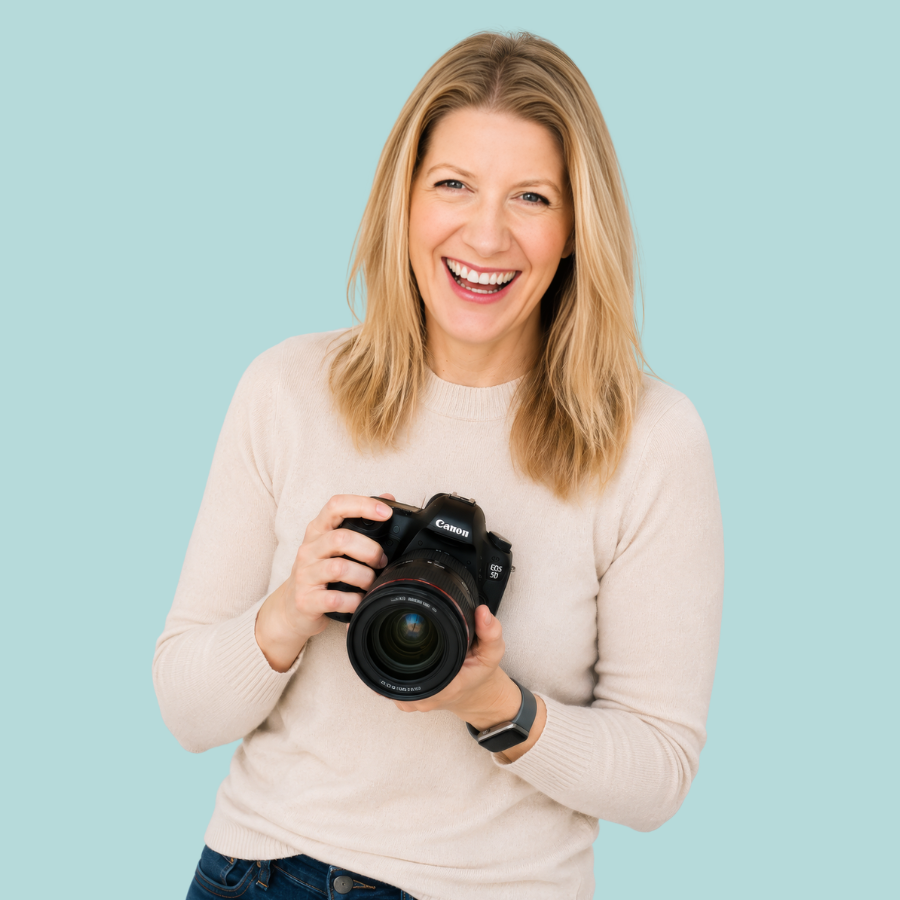
I’m Audrey Ann!
I can't wait to teach you how to take your photos from the mundane to the magical!
I've been using Photoshop for the last 12 years, but I know from personal experience that learning Photoshop isn't exactly easy!
In the beginning I got into a complete mess with my edits, relied on actions that didn't exact give me the results I was hoping for, and just generally felt like I was stumbling my way along in the dark with my hands tied behind my back 🤯
It has taken me YEARS to feel confident and comfortable in Photoshop, and be able to use it to it's fullest potential (not to mention create photos that are more magical and compelling than they would otherwise be!)
I don't want you to waste years learning Photoshop like I did, which is why I’ve created Photoshop Magic for you.
I'm known for being able to make complicated, technical things really easy to understand, and for breaking things down into manageable, easy to follow steps - and that's exactly what I have done here to help you learn Photoshop too!
So if you’re ready to harness the unrivalled editing power of Photoshop to create magical images, I can’t wait to help you inside Photoshop Magic!
Maybe you're wondering...
-
If you are brand new to Photoshop, then I actually recommend you start with our beginners course, Photoshop Fundamentals. This will go through the all important core aspects of using Photoshop, so that you can get comfortable using layers, pixel layers, masks, the brush tool and selection tools before diving into Photoshop Magic. You can find out more about Photoshop Fundamentals here.
-
Photoshop Fundamentals was created to teach you the fundamental principles of working in Photoshop, whereas Photoshop Magic teaches you the editing techniques that will add a little extra magic to your photos!
Photoshop Fundamentals concentrates on how to. use layers, layer masks, selecting areas of the scene, and how to use pixel layers in your workflow, so you have a solid foundation to build from, but doesn't teach any editing techniques.
Photoshop Magic on the other hand is all about the editing! You'll learn techniques like cloning, retouching, swapping skies, adding textures and overlay, using fill layers (a.k.a. all the ways you can sprinkle magic dust over your photos!) but assumes you have the basic knowledge we cover in Photoshop Fundamentals.
You can add Photoshop Fundamentals to your order at checkout for a heavily discounted price if you want both!
-
This course is taught using Photoshop CC, the latest Creative Cloud version. You can follow along with older versions although please note you wont have access to the newer tools, such as Generative Fill, Sky Replacement and Neural Filters.
-
No. The Photoshop program is available on subscription from Adobe. You sign up for the Photography Plan and you'll get access to Photoshop, plus Lightroom Classic and Lightroom. You can find out more about it here: Photography Plan From Adobe.
-
The skills and techniques in the course and can be applied to many different types of photos, so it's perfect if you are a "multi-passionate" photographer! However, the content does cover "people" photography, with guides for getting skin tones right, and portrait enhancement, so if you never, ever plan to shoot people, then perhaps another course would be better for you.
-
I’m simplifying the Live Snap Love course collection, which means saying goodbye to some courses—including Photoshop Magic.
It’s still packed with useful editing techniques and creative tricks! Retiring it simply means it will no longer be available to buy once enrolment closes.
If you join before then, you’ll still get your full 12 months of access, so you can take your time exploring the lessons and putting the techniques to work on your photos.
-
Yes! Photoshop Magic teaches tools and techniques you can use in the current version of Photoshop to create beautiful, creative edits.
Adobe regularly updates Photoshop, so you may notice small differences between your screen and the lesson recordings. All the editing techniques still apply, even when the interface looks a little different.
-
It simply means that once this offer ends, this course will no longer be available for sale. You’ll still have access to it for 12 months from date of enrollment, just as you would have if you paid full price for it!
-
As soon as you join us, you get instant access to all the modules and lessons, so you can roll up your sleeves and get started today!
-
If you’re not satisfied with the course after 7 days, you can email us to request a full refund!
-
Photoshop Magic is a self-study program, so I'm afraid we won't be able to give you assistance or feedback on your editing! However, our community is the perfect place to ask questions too, and get help and advice from your peers (Audrey checks in a few times a week too!)
-
You have a whopping 12 months access to the program in our online course portal!
-
As soon as you checkout you get instant access to the entire program immediately in our online course portal! We'll also send you a confirmation email, with a link to the course portal, so you can log back in at any time during your 12 month enrolment and continue your journey into mastering your core Photoshop skills!
-
Get in touch with your questions, we’re happy to help! You can email us at hello(at)audreyannphoto.com or by clicking here.
© Copyright 2014 - 2026, Live Snap Love Terms of Sale | Disclaimer | Privacy Policy